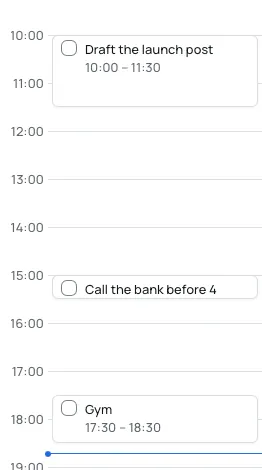
Give the hours a shape
Drag a task onto the timeline to give it a time. The board stays as loose as you like.
Each date opens its own board. Put tasks, notes, sticky notes, timers and sketches anywhere on it, and Bloomingo keeps them tidy for you.
Coming to Mac, Windows, iPad, iPhone and Android. Pay once. No subscription needed.
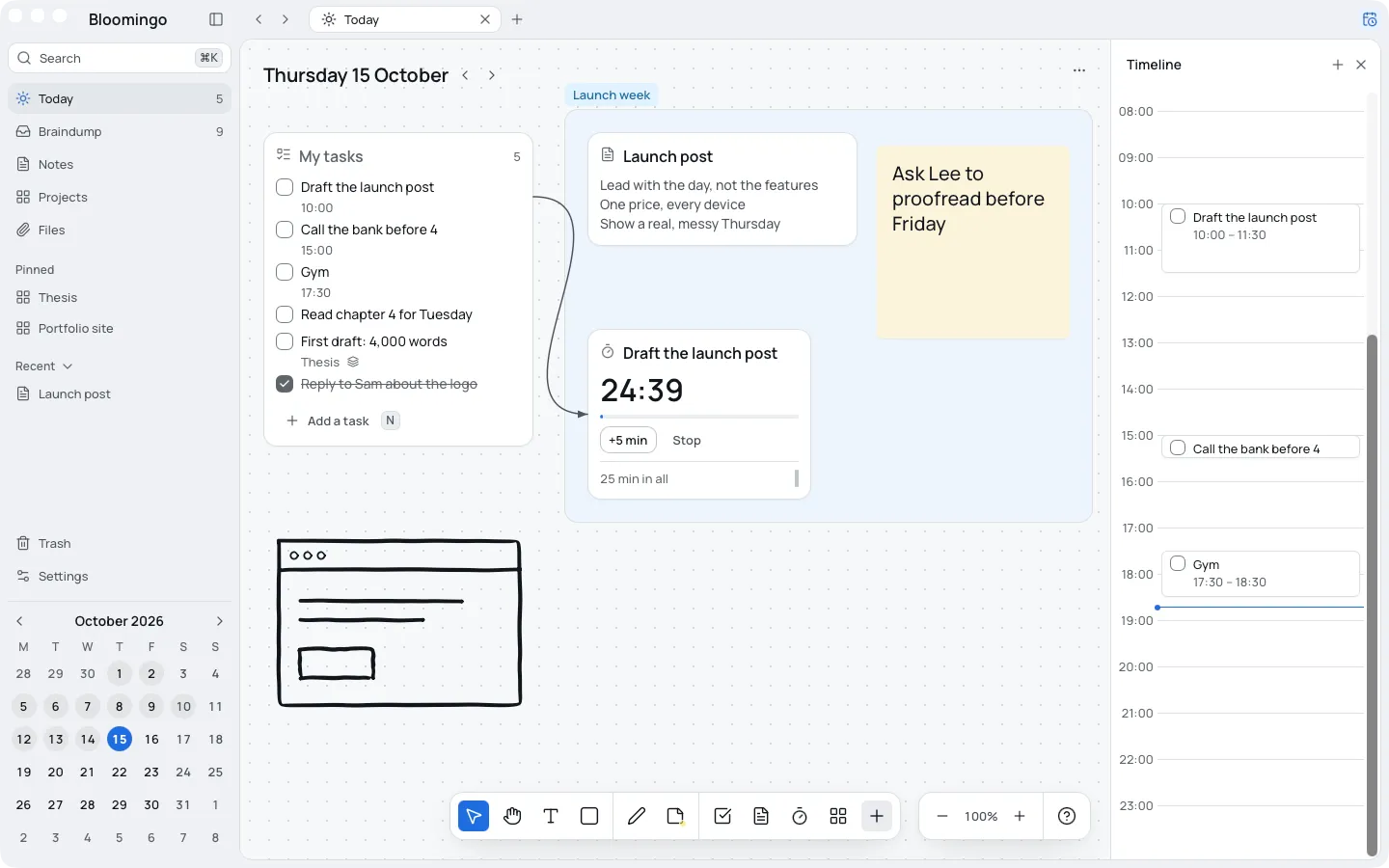
Each date opens its own board
Give a task a time and it lands on the timeline
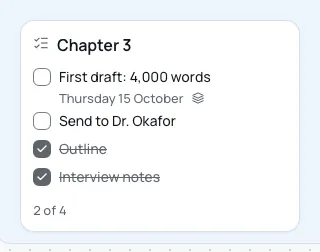
One task, on today and on its project
Bloomingo is new, so there are no reviews yet. Every picture on this page is the real app.
Open today and start writing.
No subscription needed.
Your boards live on your device.
End-to-end encrypted between your devices, when sync arrives.
Tasks live in one app, notes in another, and the real shape of the day sits on a scrap of paper. Bloomingo starts from the day you actually have. Every date on the calendar opens its own board.
Kept as you left it.
Room for everything else around it.
Nothing yet. It's ready when you are.
The braindump is one board with no date. Put a thought there the moment it shows up. Give it a day later, move it to a project, or leave it. Thoughts you haven't opened for weeks fade, and Bloomingo never deletes them.
How the braindump works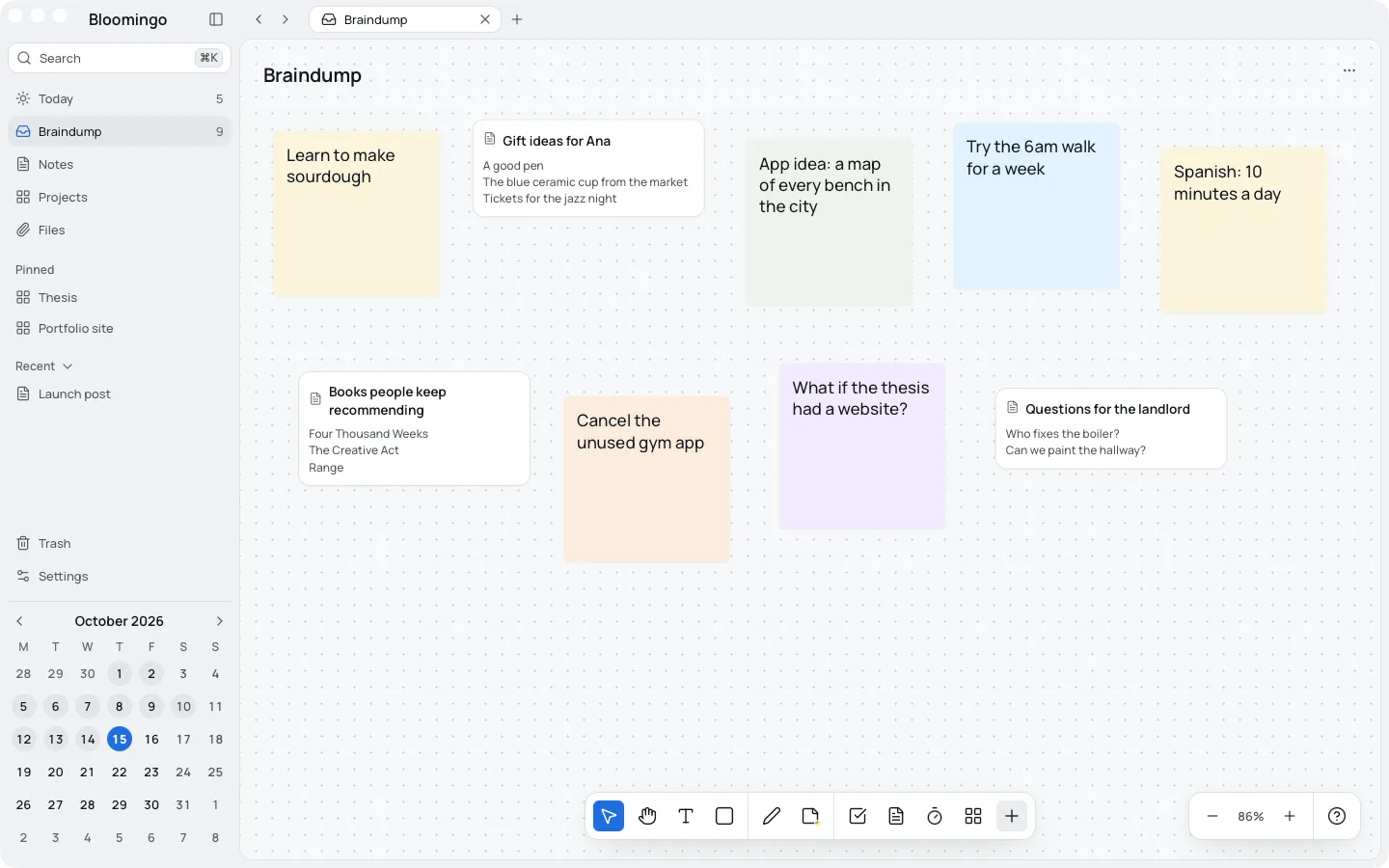
Keep a project's tasks, notes and reading on one board. Wrap related things in a section so they move together, and put a board inside a board when a project grows.
Boards and sections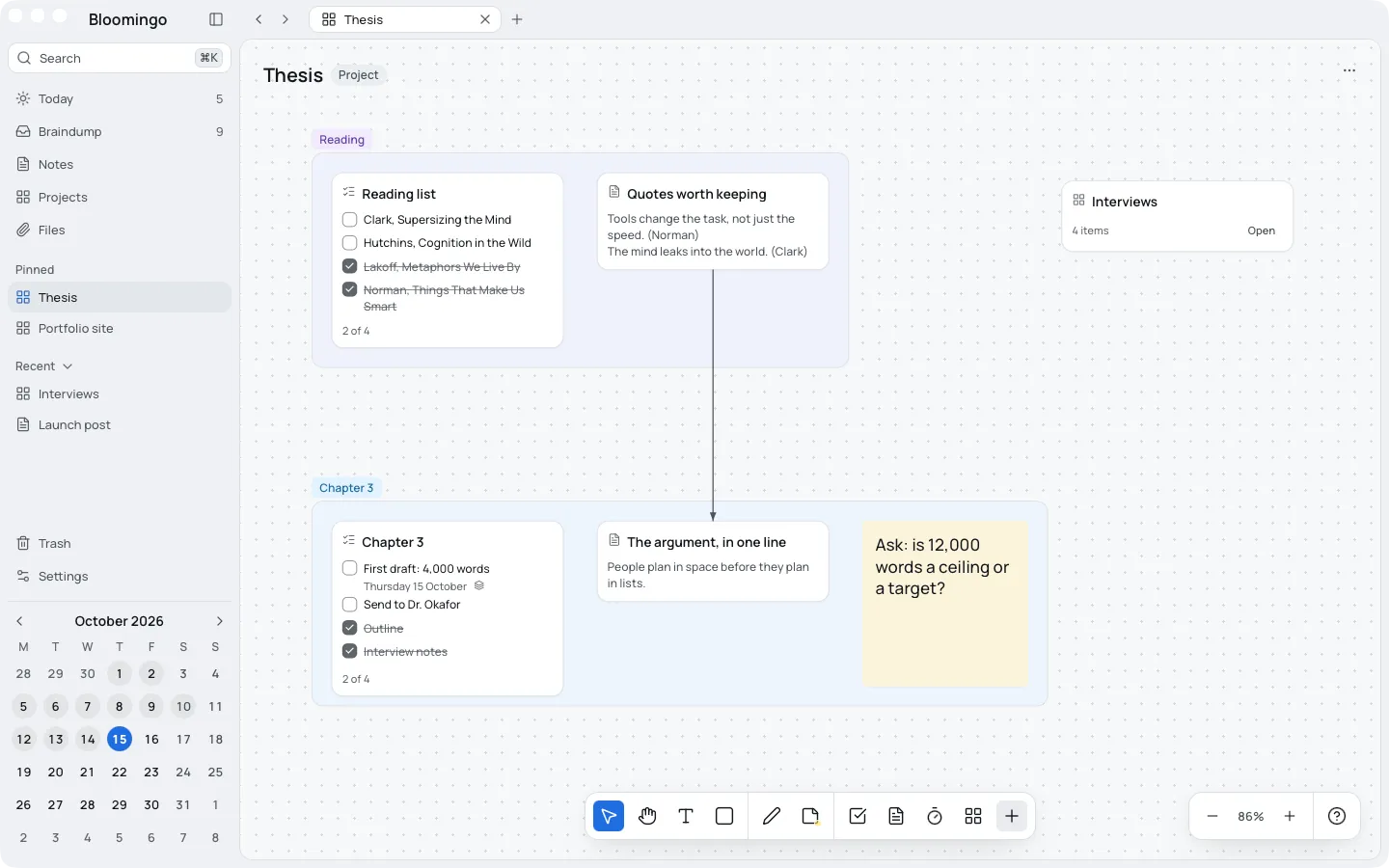
Tick it once and it's done on both. Nothing to copy, and nothing to keep in step.
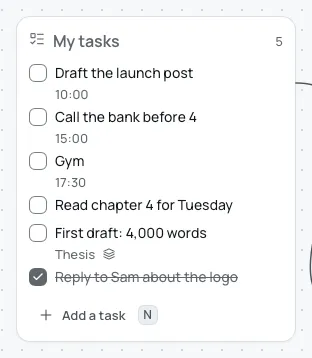
Each new day, yesterday's unfinished tasks wait in a small tray. Keep them for today, move them, or let them go. Anything you haven't decided on by the end of the day goes back to the braindump.
No streaks. Nothing turns red when a day doesn't go to plan.
Drag a task onto the timeline to give it a time. The board stays as loose as you like.
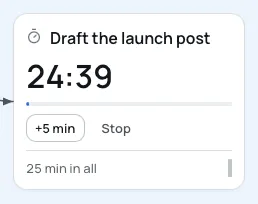
Join a timer to a task and it takes the task's name, keeps count and remembers your sessions.
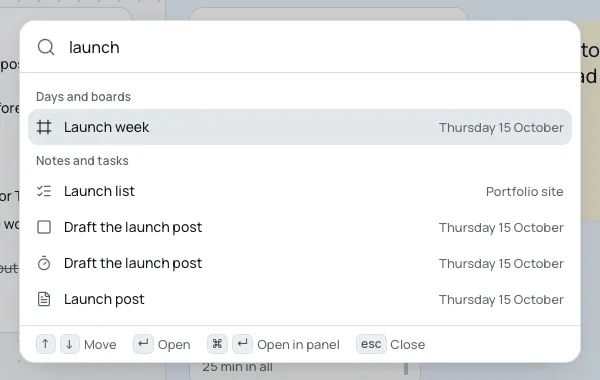
Every day, board, note and task is a few letters away, and opening one takes you right to it.
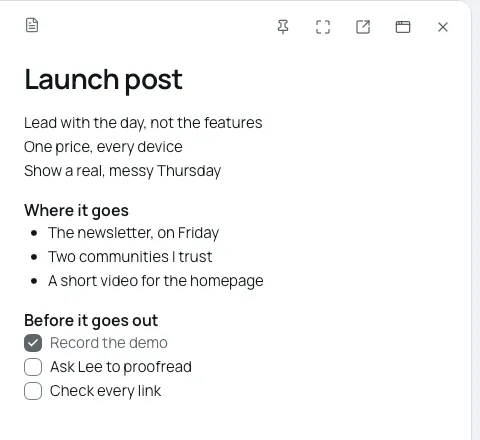
Write as much as you need, with headings, lists and checklists, while your day stays in view.
Export everything at any time: notes as Markdown, files as they are, boards as JSON. A single board also saves as a picture or a PDF.
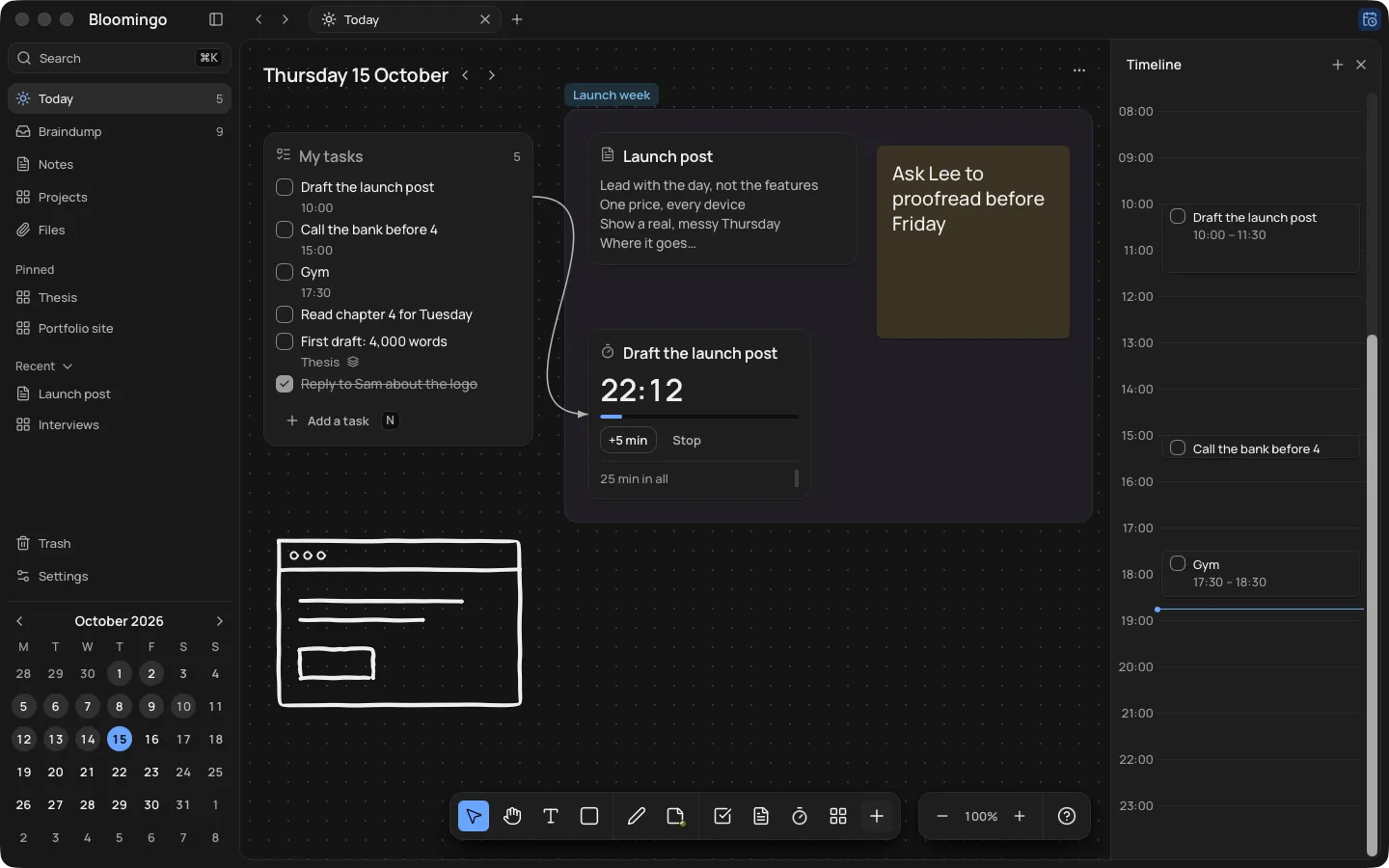
A dark theme tuned on its own, so late planning stays calm.
Most planners ask you to build the system before you can use it, and keeping it tidy turns into the job. Bloomingo comes ready. New things land in sensible places, and Tidy lines them up when you ask. You decide what things mean, and the app does the chores.
None of it. Open today and start writing.
Streaks that break
Red overdue badges
AI features
Ads or tracking
Your plans say a lot about you. Bloomingo keeps them on your devices.
How Bloomingo keeps your boards privateEverything opens and saves on your device, and search runs there too.
Sync between your devices will be end-to-end encrypted. We won't be able to read your boards.
No ads, and no analytics on what you write.
Export everything at any time: notes as Markdown, files as they are, boards as JSON.
No subscription needed. Try every feature free for 14 days first, with no card, so nothing is charged when the trial ends. Students pay less.
What the licence covers